> ## Documentation Index
> Fetch the complete documentation index at: https://docs.heygaia.io/llms.txt
> Use this file to discover all available pages before exploring further.

# Workflows

> Automate repetitive tasks across your apps, no code required

export const Chat = ({messages = []}) => {
  const css = `
.docs-imsg-list {
  display: flex;
  flex-direction: column;
  gap: 4px;
  margin: 1.25rem 0;
}
.docs-imsg-bubble {
  word-wrap: break-word;
  line-height: 24px;
  position: relative;
  padding: 8px 20px;
  max-width: 85%;
  border-radius: 20px;
  font-size: 0.875rem;
  white-space: pre-line;
}
.docs-imsg-bubble::before {
  content: "";
  position: absolute;
  bottom: 0;
  width: 20px;
  height: 18px;
}
.docs-imsg-from-them {
  background: #27272a;
  color: #fafafa;
  align-self: flex-start;
}
.docs-imsg-from-them::before {
  left: -7px;
  background-color: #27272a;
  clip-path: path("M 20 0 L 20 2 A 16 16 0 0 1 4 18 L 0 18 L 0 17.54 A 10 10 0 0 0 7 8 L 7 0 Z");
}
.docs-imsg-from-me {
  color: black;
  background: #00bbff;
  align-self: flex-end;
}
.docs-imsg-from-me::before {
  right: -7px;
  background-color: #00bbff;
  clip-path: path("M 0 0 L 0 2 A 16 16 0 0 0 16 18 L 20 18 L 20 17.54 A 10 10 0 0 1 13 8 L 13 0 Z");
}
.docs-imsg-no-tail::before {
  display: none;
}
.docs-imsg-group-gap {
  margin-top: 8px;
}
`;
  return <div className="docs-imsg-list not-prose">
      <style>{css}</style>
      {messages.map((msg, idx) => {
    const from = msg.from === "user" ? "me" : "them";
    const next = messages[idx + 1];
    const prev = messages[idx - 1];
    const lastOfGroup = !next || next.from !== msg.from;
    const newGroup = prev && prev.from !== msg.from;
    const classes = ["docs-imsg-bubble", `docs-imsg-from-${from}`, lastOfGroup ? "" : "docs-imsg-no-tail", newGroup ? "docs-imsg-group-gap" : ""].filter(Boolean).join(" ");
    return <div key={idx} className={classes}>
            {msg.text}
          </div>;
  })}
    </div>;
};

<Frame>
  <img src="https://mintcdn.com/gaia-a3e7b78f/cCKFYVXmL6j51sBt/images/screenshots/workflows.webp?fit=max&auto=format&n=cCKFYVXmL6j51sBt&q=85&s=de63a24aa0f57aeef65e988c667aaa84" alt="GAIA workflows dashboard" width="2538" height="1536" data-path="images/screenshots/workflows.webp" />
</Frame>

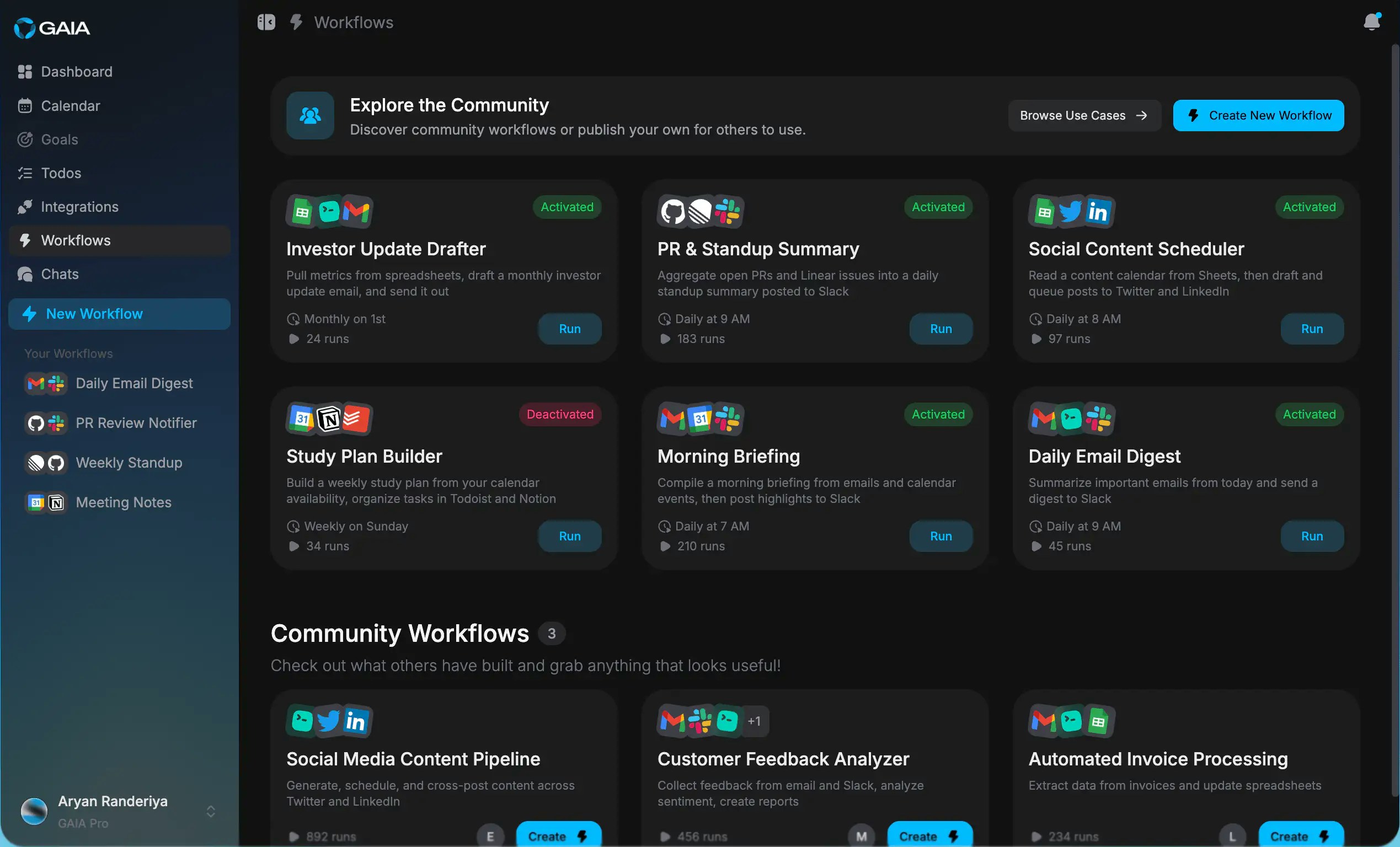
Workflows let you stop repeating yourself. Describe what you want once, in plain language, and GAIA runs it from then on, on a schedule, when something happens in a connected app, or whenever you click **Run**.

<Chat
  messages={[
{ from: "user", text: "When a GitHub issue is labeled \"urgent\", create a task in Todoist and send me a Slack message" },
{ from: "gaia", text: "Done, that workflow is set up and will run on its own from now on." },
]}
/>

Anything you can describe works the same way:

* "Every Friday at 4pm, summarize my completed Asana tasks into a Google Doc"
* "30 minutes before any meeting with more than 2 attendees, surface my recent email threads with those people"

Each workflow is a **trigger** (Schedule, app Trigger, or Manual) plus one or more **actions**. You can chain as many actions as you need, across any of your connected apps.

<Tip>
  Start simple. A one-trigger, one-action workflow is easier to debug than a
  five-step chain. Add more actions once you've confirmed the basics work.
</Tip>

## Build one

<CardGroup cols={2}>
  <Card title="Build Your First Workflow" icon="wand-magic-sparkles" href="/guides/building-workflows">
    Step-by-step: pick a trigger, describe the steps, activate it.
  </Card>

  <Card title="Browse the Marketplace" icon="store" href="/guides/marketplace">
    Install workflows the community has already built, or publish your own.
  </Card>
</CardGroup>

<Note>
  Apps must be connected before they can trigger workflows, see [Connecting
  Integrations](/guides/connecting-integrations).
</Note>
