> ## Documentation Index
> Fetch the complete documentation index at: https://docs.heygaia.io/llms.txt
> Use this file to discover all available pages before exploring further.
# Usage & Subscription
> Check your usage, compare Free and Pro limits, and manage billing
GAIA has two plans: **Free** and **Pro**. Free gives you every feature with daily and monthly limits. Pro raises those limits by 25–250x so you can stop thinking about them.
## Check your usage
Every feature, chat messages, image generation, web search, workflows, and more, has daily and monthly limits tied to your plan. See them all in one place.
Click your avatar in the bottom-left corner and select **Settings**, or go directly to **Settings > Usage**.
Toggle between **Daily** and **Monthly**.
Each feature shows current usage against its limit. Green means plenty left, yellow means you're getting close, red means you're near or at the cap.
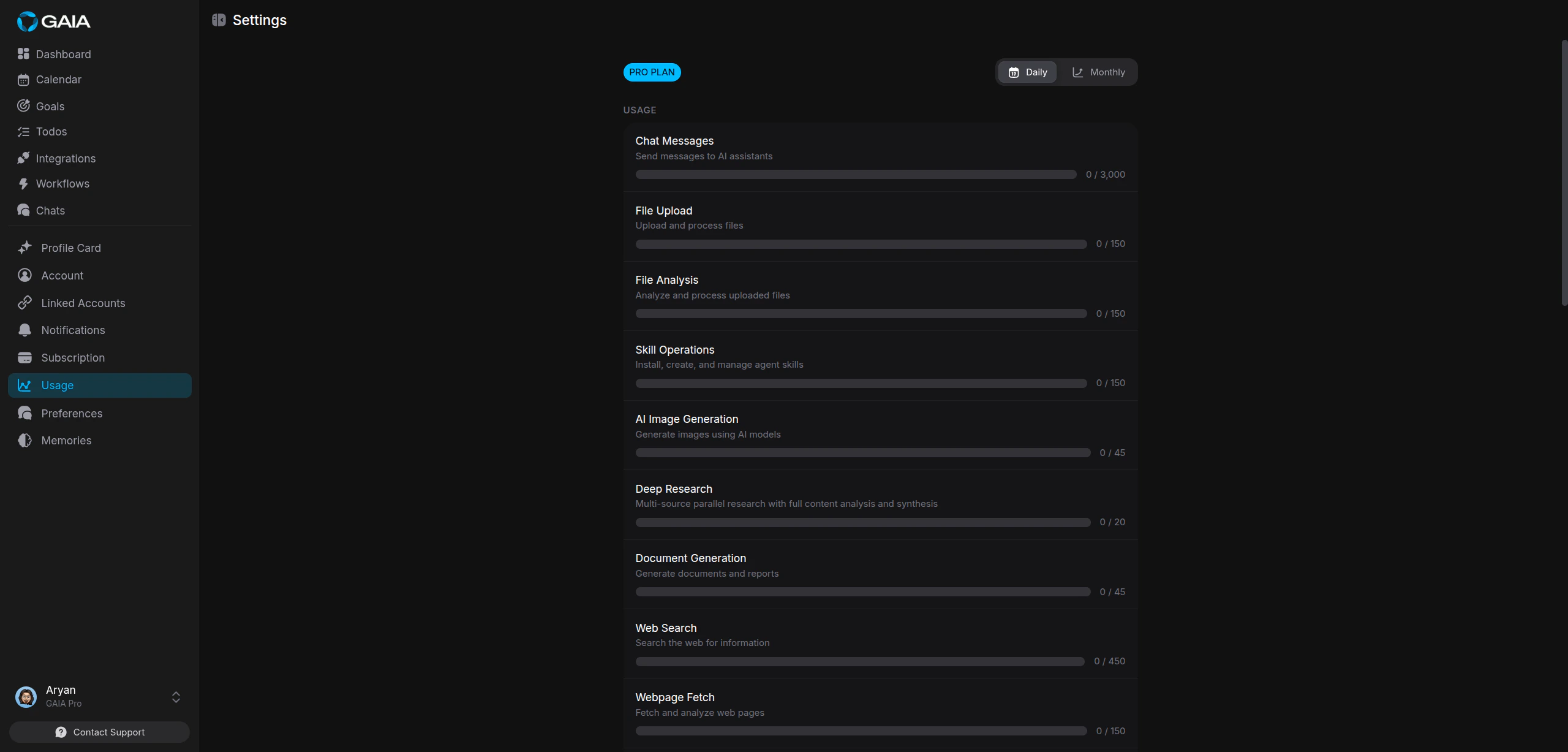 Usage resets automatically, daily limits at midnight UTC, monthly limits on
the first of each month.
## Plans and limits
### Free
Costs nothing, never expires, and includes every feature:
* 200 chat messages per day (5,000/month)
* 10 web searches per day (50/month)
* 5 workflow operations per day (20/month)
* 1 AI image generation per day (2/month)
* 2 deep research sessions per day (10/month)
* 50 todo operations per day (1,000/month)
### Pro
Higher limits across every feature, plus priority support and access to private Discord channels:
* 3,000 chat messages per day (60,000/month)
* 450 web searches per day (13,500/month)
* 45 workflow operations per day (1,350/month)
* 45 AI image generations per day (1,350/month)
* 20 deep research sessions per day (600/month)
* 1,500 todo operations per day (22,500/month)
Pro bills monthly or yearly. Paying yearly saves 25%.
GAIA tracks usage across 20+ operation types, chat, web search, workflows,
file analysis, code execution, calendar, reminders, notes, memory, and more.
Each counter resets on its own schedule, so hitting one limit doesn't affect
anything else.
## Upgrade to Pro
Go to **Settings > Subscription** and click **View plans**, or **Settings > Usage** and click **Upgrade Now**.
Select **Monthly** or **Yearly**. The yearly option shows the per-month equivalent and total annual cost.
Click **Get Started** on the Pro card and enter your payment details on the secure checkout page. Discount codes apply at checkout.
Your plan updates right away. Check **Settings > Subscription**, the status should show **Active**. You'll also get a welcome email.
## Manage your subscription
**Settings > Subscription** shows your plan at a glance: plan name and status (Active, On Hold, Cancelled, or Expired), price and billing cycle, next billing date with a countdown, the date you subscribed, and what's included.
Usage resets automatically, daily limits at midnight UTC, monthly limits on
the first of each month.
## Plans and limits
### Free
Costs nothing, never expires, and includes every feature:
* 200 chat messages per day (5,000/month)
* 10 web searches per day (50/month)
* 5 workflow operations per day (20/month)
* 1 AI image generation per day (2/month)
* 2 deep research sessions per day (10/month)
* 50 todo operations per day (1,000/month)
### Pro
Higher limits across every feature, plus priority support and access to private Discord channels:
* 3,000 chat messages per day (60,000/month)
* 450 web searches per day (13,500/month)
* 45 workflow operations per day (1,350/month)
* 45 AI image generations per day (1,350/month)
* 20 deep research sessions per day (600/month)
* 1,500 todo operations per day (22,500/month)
Pro bills monthly or yearly. Paying yearly saves 25%.
GAIA tracks usage across 20+ operation types, chat, web search, workflows,
file analysis, code execution, calendar, reminders, notes, memory, and more.
Each counter resets on its own schedule, so hitting one limit doesn't affect
anything else.
## Upgrade to Pro
Go to **Settings > Subscription** and click **View plans**, or **Settings > Usage** and click **Upgrade Now**.
Select **Monthly** or **Yearly**. The yearly option shows the per-month equivalent and total annual cost.
Click **Get Started** on the Pro card and enter your payment details on the secure checkout page. Discount codes apply at checkout.
Your plan updates right away. Check **Settings > Subscription**, the status should show **Active**. You'll also get a welcome email.
## Manage your subscription
**Settings > Subscription** shows your plan at a glance: plan name and status (Active, On Hold, Cancelled, or Expired), price and billing cycle, next billing date with a countdown, the date you subscribed, and what's included.
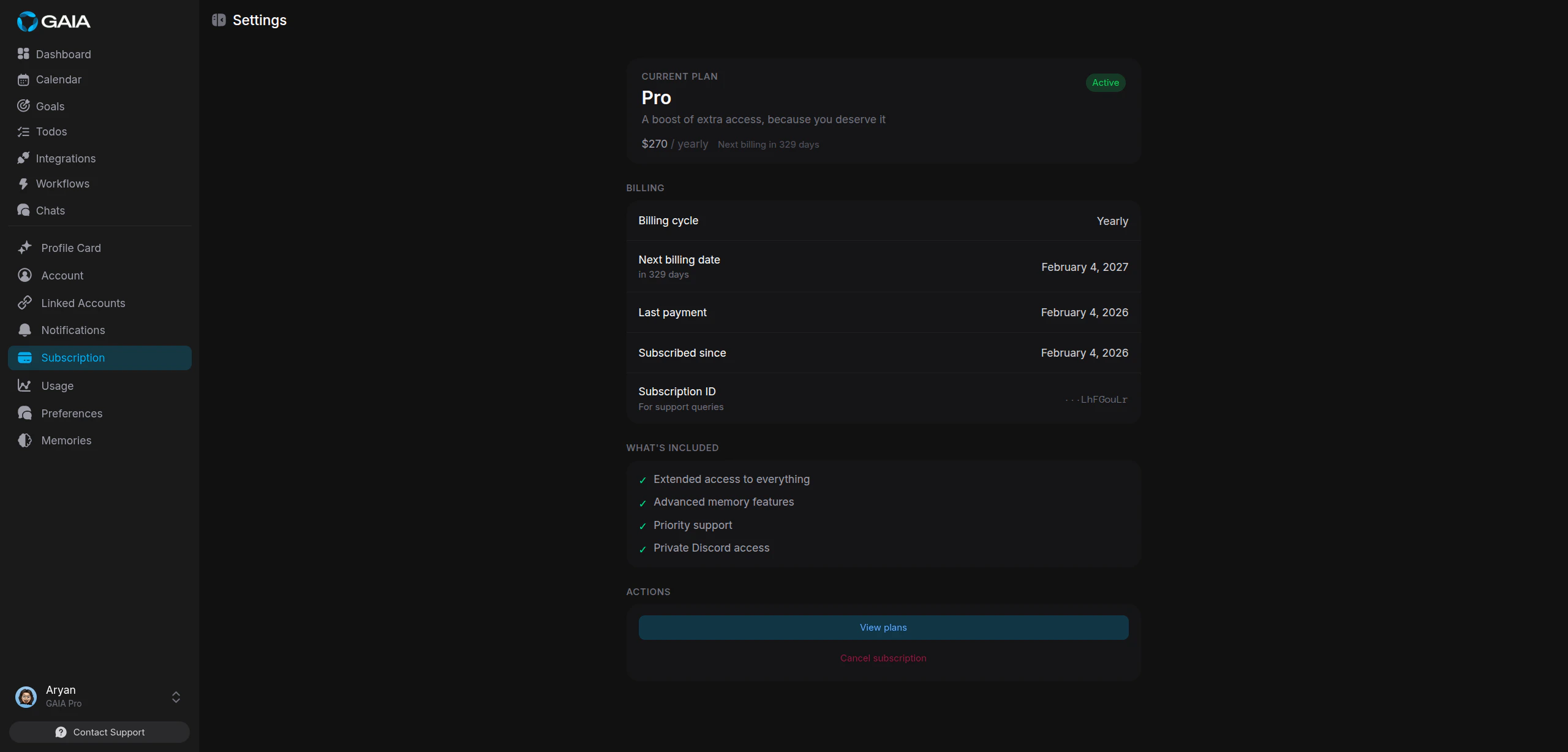 Click **View plans** in the Actions section to compare plans or switch between monthly and yearly billing.
The Billing section also lists your last payment date and a **Subscription ID** you can share with support if you need help.
All payments go through Dodo Payments. GAIA never stores your credit card
details.
### Cancel
To cancel, contact GAIA support, the cancellation option in Settings routes through the support team.
Cancelling doesn't cut off access immediately. You keep Pro until the end of
your current billing period.
## When you hit a limit
GAIA tells you inline, right in the conversation, which limit you hit and when it resets. From there:
1. **Wait for the reset.** Daily limits clear at midnight UTC, monthly limits on the first of the month.
2. **Upgrade to Pro.** Pro limits are high enough that most heavy users never run into them.
Click **View plans** in the Actions section to compare plans or switch between monthly and yearly billing.
The Billing section also lists your last payment date and a **Subscription ID** you can share with support if you need help.
All payments go through Dodo Payments. GAIA never stores your credit card
details.
### Cancel
To cancel, contact GAIA support, the cancellation option in Settings routes through the support team.
Cancelling doesn't cut off access immediately. You keep Pro until the end of
your current billing period.
## When you hit a limit
GAIA tells you inline, right in the conversation, which limit you hit and when it resets. From there:
1. **Wait for the reset.** Daily limits clear at midnight UTC, monthly limits on the first of the month.
2. **Upgrade to Pro.** Pro limits are high enough that most heavy users never run into them.