> ## Documentation Index
> Fetch the complete documentation index at: https://docs.heygaia.io/llms.txt
> Use this file to discover all available pages before exploring further.
# Installation
> Install the GAIA CLI tool using npm, pnpm, or bun to set up and manage your GAIA instance from the terminal.
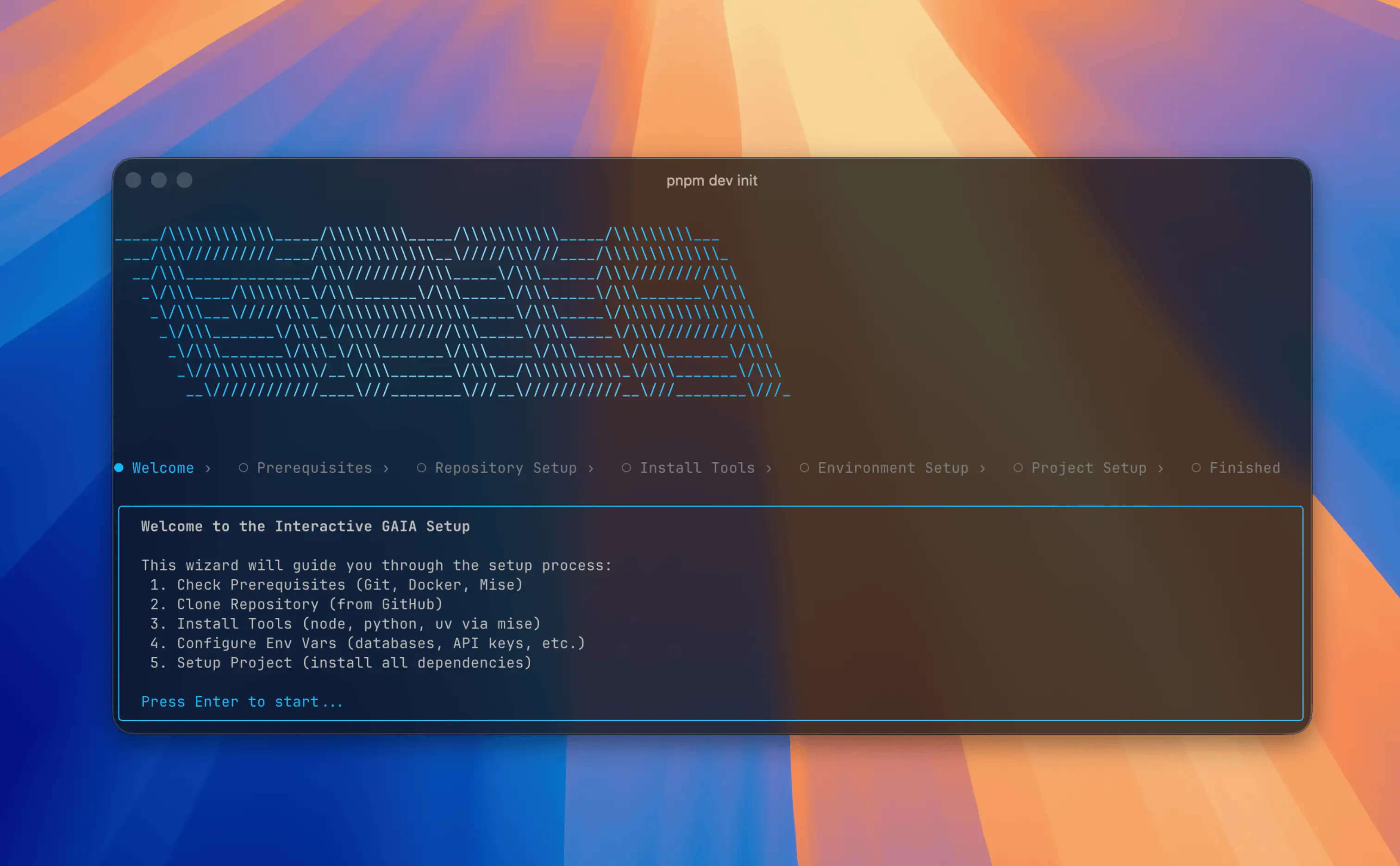 ## Install the CLI
The GAIA CLI (`@heygaia/cli`) is a terminal-based tool for setting up, configuring, and managing GAIA instances.
Install globally with your package manager:
## Verify Installation
```bash theme={null}
gaia --version
gaia --help
```
If `gaia` is not available immediately, open a new terminal session and run
`gaia --help` again.
## Requirements
* **macOS, Linux, or Windows (WSL2 recommended)**
* **Node.js 20+** and one package manager (**npm**, **pnpm**, or **bun**)
* **Docker** installed and running
* **Git** installed
The CLI checks prerequisites during setup and guides you if something is missing.
## Upgrading
### Updating GAIA
Pull the latest changes from your GAIA repo directory:
```bash theme={null}
cd /path/to/gaia
git pull
```
If the update includes dependency changes, run `gaia setup` afterwards.
### Updating the CLI
## Uninstalling
To fully remove GAIA from your machine:
1. Stop all running services:
```bash theme={null}
gaia stop
```
2. Delete the GAIA repository directory:
```bash theme={null}
rm -rf /path/to/gaia
```
3. Remove CLI metadata:
```bash theme={null}
rm -rf ~/.gaia
```
4. Uninstall the CLI:
```bash npm theme={null}
npm uninstall -g @heygaia/cli
```
```bash pnpm theme={null}
pnpm remove -g @heygaia/cli
```
```bash bun theme={null}
bun remove -g @heygaia/cli
```
## Next Steps
See all available CLI commands
Set up GAIA from scratch using the CLI wizard
## Install the CLI
The GAIA CLI (`@heygaia/cli`) is a terminal-based tool for setting up, configuring, and managing GAIA instances.
Install globally with your package manager:
## Verify Installation
```bash theme={null}
gaia --version
gaia --help
```
If `gaia` is not available immediately, open a new terminal session and run
`gaia --help` again.
## Requirements
* **macOS, Linux, or Windows (WSL2 recommended)**
* **Node.js 20+** and one package manager (**npm**, **pnpm**, or **bun**)
* **Docker** installed and running
* **Git** installed
The CLI checks prerequisites during setup and guides you if something is missing.
## Upgrading
### Updating GAIA
Pull the latest changes from your GAIA repo directory:
```bash theme={null}
cd /path/to/gaia
git pull
```
If the update includes dependency changes, run `gaia setup` afterwards.
### Updating the CLI
## Uninstalling
To fully remove GAIA from your machine:
1. Stop all running services:
```bash theme={null}
gaia stop
```
2. Delete the GAIA repository directory:
```bash theme={null}
rm -rf /path/to/gaia
```
3. Remove CLI metadata:
```bash theme={null}
rm -rf ~/.gaia
```
4. Uninstall the CLI:
```bash npm theme={null}
npm uninstall -g @heygaia/cli
```
```bash pnpm theme={null}
pnpm remove -g @heygaia/cli
```
```bash bun theme={null}
bun remove -g @heygaia/cli
```
## Next Steps
See all available CLI commands
Set up GAIA from scratch using the CLI wizard